The Ultimate Guide to Long Image Stitching: How to Merge Multiple Photos Seamlessly and Losslessly
Creative Layouts for the Mobile Era: Why Do We Stitch Images?
In today's mobile-first reading environment, Long Image Stitching has become an essential graphic layout technique. Whether you want to publish travel diaries, graphic design portfolios, step-by-step culinary recipes, or showcase long chat logs, vertical panoramic layouts provide a seamless and highly engaging reading experience.
However, generic photo combiners usually merge pictures crudely, presenting critical pain points:
- Unequal Dimensions: Composites end up with jagged, misaligned edges;
- Stretching Distortions: Some editors stretch or compress photos, leaving details blurry and pixelated;
- Tedious Reordering: Misplacing a single image forces you to clear the queue and re-upload everything;
- Privacy Leakages: Most online web stitchers upload photos to their cloud servers, exposing your private logs and screenshots to potential vulnerabilities.
To address these concerns, WoollyPix introduced a 100% serverless, client-side Long Stitch Tool. In this guide, we will unpack how the tool works and share professional layout styling tips.
1. Scaling vs. Padding: Choosing the Right Stitching Mode
The first challenge in combining multiple images is addressing different aspect ratios and resolutions. WoollyPix offers two distinct alignment strategies:
#### A. Equal Width/Height Scaling (For Clean Asymmetric Feeds)
- How it works: When images have different sizes, the engine dynamically rescales them. For vertical stitching, all images are rescaled to share the same width; for horizontal stitching, they share the same height.
- Scaling Baseline: You can choose to align on the "minimum dimension" (resizing everything to fit the narrowest/shortest image automatically) or key in a custom baseline (e.g. standardizing width to 1080px).
- Best for: Social media carousels, editorial storyboards, and film strip roll layouts. It eliminates all gaps and produces a uniform, polished look.
#### B. Padded Lossless Layout (For 100% Lossless Quality)
- How it works: Choose this mode if you refuse to stretch or downscale your images. The canvas width (or height) fits the largest item in the queue, rendering other smaller pictures at their exact original coordinates.
- Background Fill: The remaining margins are filled with a background. You can set a solid background, choose modern colorful linear-gradient presets, or upload a background image.
- Best for: Fine-art prints, vector charts, comic strips with text, and high-res photography backups that must preserve original pixel ratios.
2. Visual Drag-and-Drop Reordering: Quick Sequence Adjustments
Nothing is more frustrating than completing a long compile only to realize one image is out of order.
Woolly Long Stitch provides an "Interactive Reordering Panel" to save you time:
1. In the right-hand panel, click the "Adjust Order" button.
2. An overlay dialog will show thumbnails of your uploaded queue, labeled from 1 to N.
3. Simply drag and drop the thumbnails to rearrange their positions, or click the "Move Left/Right" buttons for micro-adjustments.
4. Click "Save Order", and the main workspace canvas updates instantly. No re-uploading needed.
If you are seeking creative inspirations, the "Random Shuffle" button will automatically rearrange the queue to help you explore unexpected layout variations.
3. Polish the Details: Margins, Borders, and Custom Watermarks
A stunning long graphic depends on design details. You can configure these properties in the sidebar:
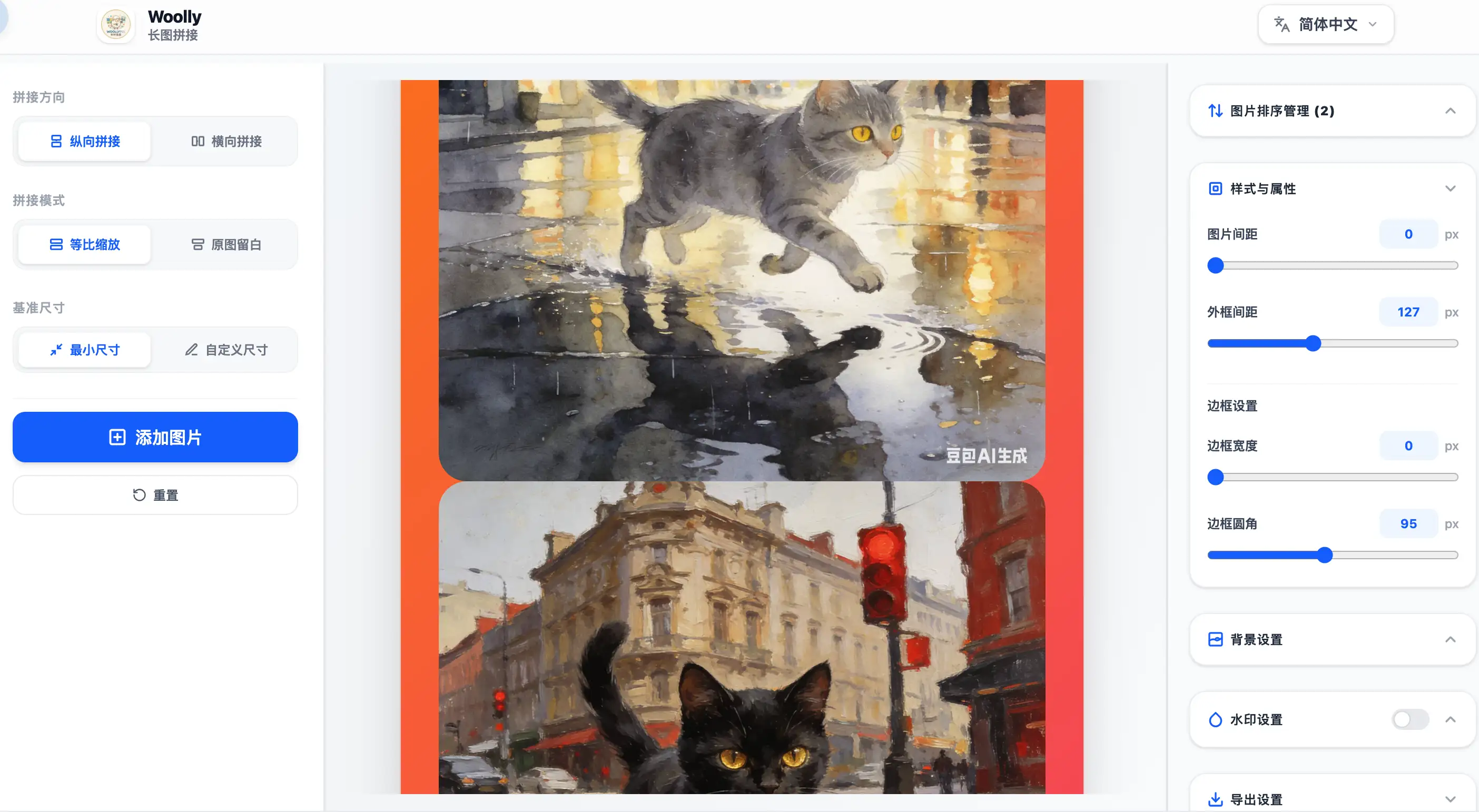
- Borders & Corner Radius: Add minor rounded corners (e.g., 10px-16px) and thin subtle borders to make each picture look like a neat card slot, enhancing the layout structure.
- Spacing & Padding: Add image margins (spacing) to give layouts room to breathe, and add outer canvas borders (padding) to frame your collage elegantly.
- Copyright Text Watermarks: Safeguard your graphics with customizable text overlays. You can input copyright strings (e.g., "© WoollyPix Photography") and adjust font size, color, rotation angle, and opacity. The watermark scales correctly no matter how long the merged canvas is.
4. Fully Serverless Processing: Absolute Security
WoollyPix processes files entirely within your browser environment:
- No Cloud Uploads: All calculations, scale operations, background styling, and composites are processed in your browser memory via HTML5 Canvas.
- Offline Capable: Once loaded, you can disconnect your Wi-Fi, pull out your ethernet cable, and the tool remains fully functional.
- HD Downloads: To prevent crashes on massive files, the workspace displays a fast low-res preview. The moment you click export, the browser uses an offscreen Canvas to compile files at 1:1 original resolutions, exporting high-res JPG, PNG, or WEBP directly to your device.
Give the Woolly Long Stitch Tool a try, and combine your visuals seamlessly and securely!
This article was authored and verified by the WoollyPix Graphics & Frontend Engineering Team based on modern Web APIs and industry standards. All WoollyPix tools run 100% client-side with zero server storage.