
Long Stitch: Free, High-Res & Serverless Photo Combiner
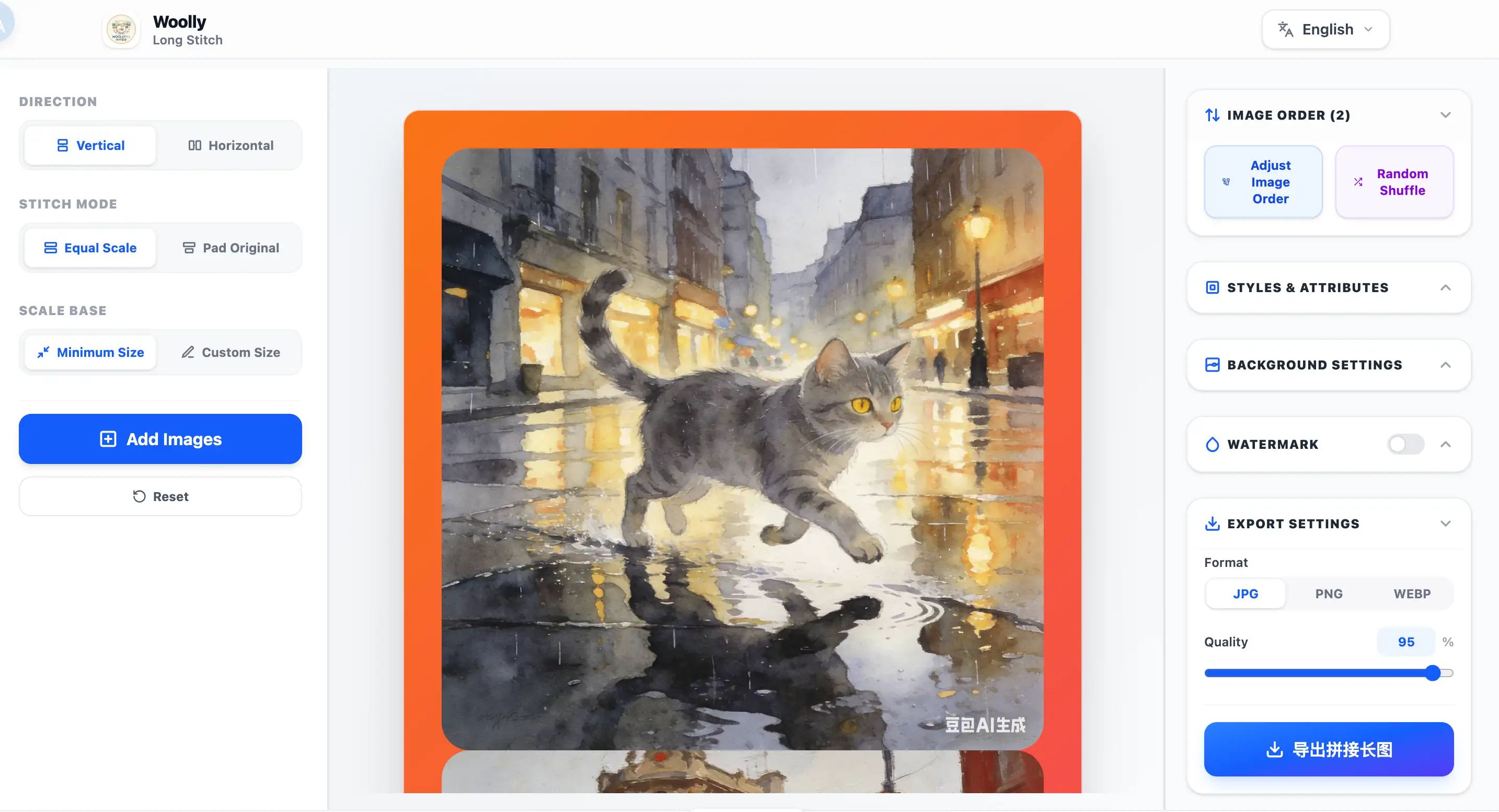
Combine multiple photos horizontally or vertically into a single seamless long image. Customize spacing, border styling, colorful gradient backgrounds, and watermarks, processed 100% locally.
Three Core Stitching Features
Choose the best layout alignment and personalized styles depending on your creative needs
01 Equal Width/Height Scaling
Stitches photos of varying sizes neatly by scaling them to have the same width (for vertical) or height (for horizontal). You can either align on the minimum dimension automatically, or specify a custom baseline in pixels. Perfect for clean grid-like social posts.
02 Pad Original Aspect (Lossless)
Keeps every single photo at its original dimensions and aspect ratio without scaling. The container size matches the maximum dimension among all uploaded items, centering smaller images and padding the remaining gaps with solid colors, gradient colors, or background images.
03 Drag-to-Reorder & Watermarks
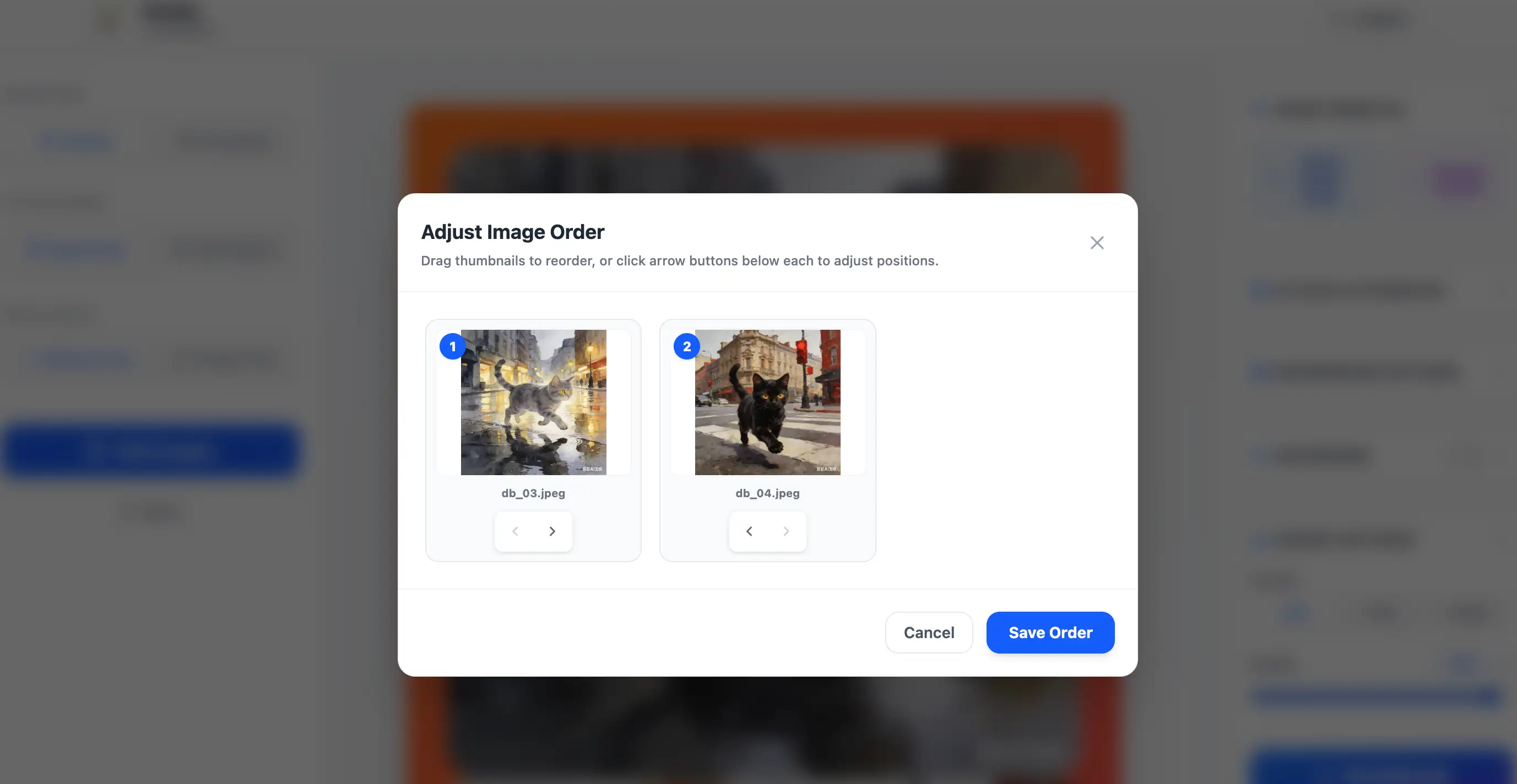
Wrong stitching sequence? Want to add text watermarks? Use our interactive visual reordering modal to sort images easily via drag-and-drop or fine-tuning buttons. You can also customize borders, spacing, outer margins, apply copyright text watermarks with custom opacity/rotation, and style backgrounds with colorful gradient presets.
FAQ
Frequently asked questions about Long Stitch features and data privacy
QAre my uploaded photos stored anywhere?
No. All image stitching, preview drawing, and high-resolution compiles occur entirely inside your browser cache. Zero files travel to servers, ensuring 100% local privacy protection.
QHow does the gradient color background work?
We pre-configured modern colorful linear-gradient presets. Simply click one of the gradient balls in the sidebar to add dynamic, aesthetic borders to your photo collage instantly.
QDoes the stitched image lose quality?
No. You can customize the export settings to select lossless PNG (which preserves every single pixel), or high-res JPG/WEBP. The final composite matches the original coordinates at a 1:1 scale.
QWill my browser freeze if the image is huge?
To prevent client-side out-of-memory crashes, our editor workspace displays debounced low-res previews. High-resolution canvas rendering is executed offscreen only at the moment you click download.