
Smart Slice: Fast, Private & Serverless Grid Divider
Slice images into grid tiles for social media like WeChat or Instagram, or auto-detect and extract separate objects using OpenCV.
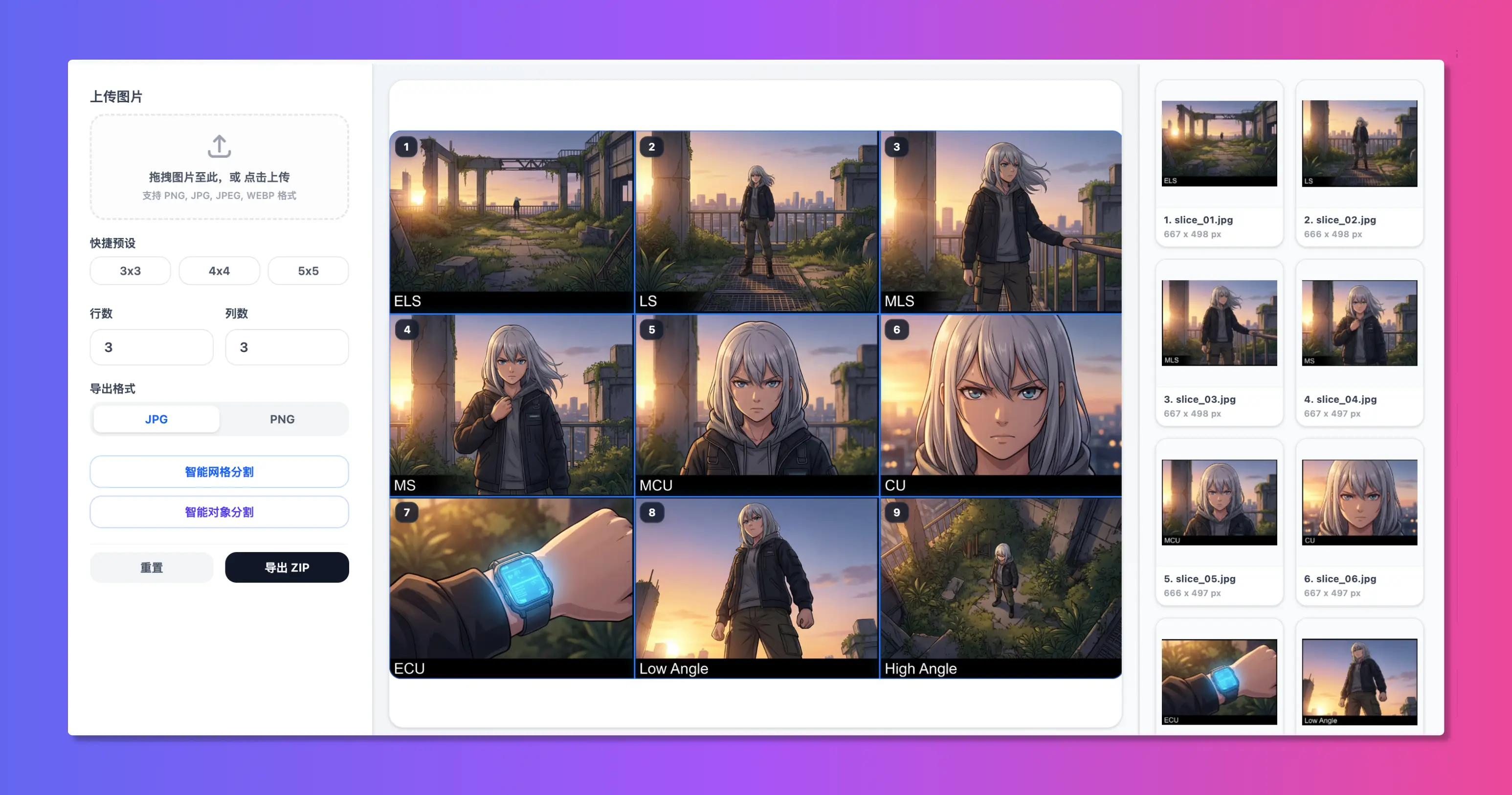
Three Core Slicing Modes
Adapt to different scenarios, bringing great efficiency to your social media graphics
01 Equally-proportional Grid Slicing
Designed for WeChat Moments, Instagram feeds, and Xiaohongshu. Easily load a panorama or graphic, choose 3x3(nine - grid), 2x2, or custom columns / rows to slice.The system outputs a high - res, watermark - free ZIP archive instantly.
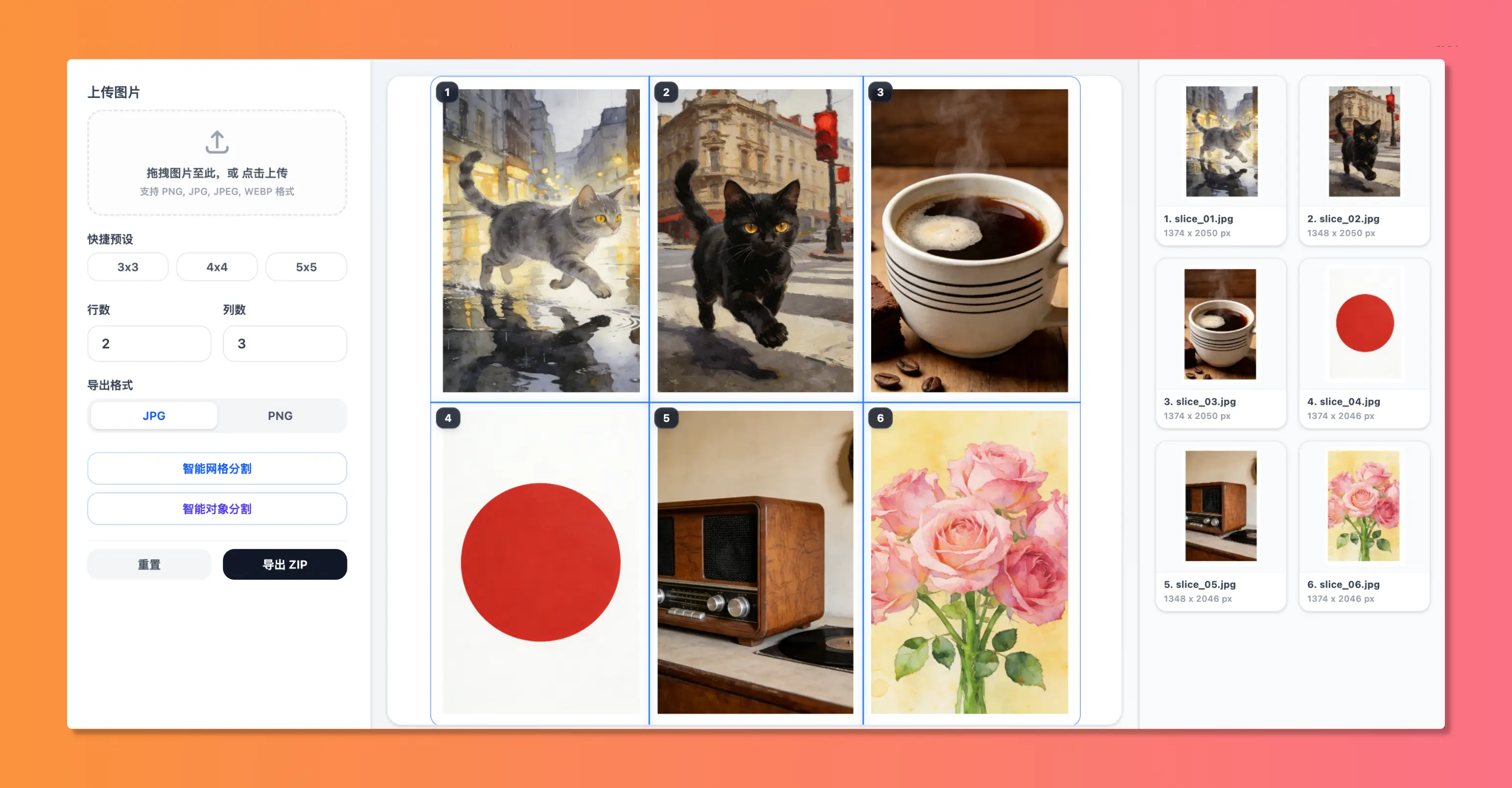
02 Smart Dynamic Grid Slicing
Beyond basic equal grids! The tool scans color differences to place lines. You can also manually grab and drag the red horizontal / vertical guides on the canvas, resizing columns and rows to the millimeter for custom asymmetric splitting.
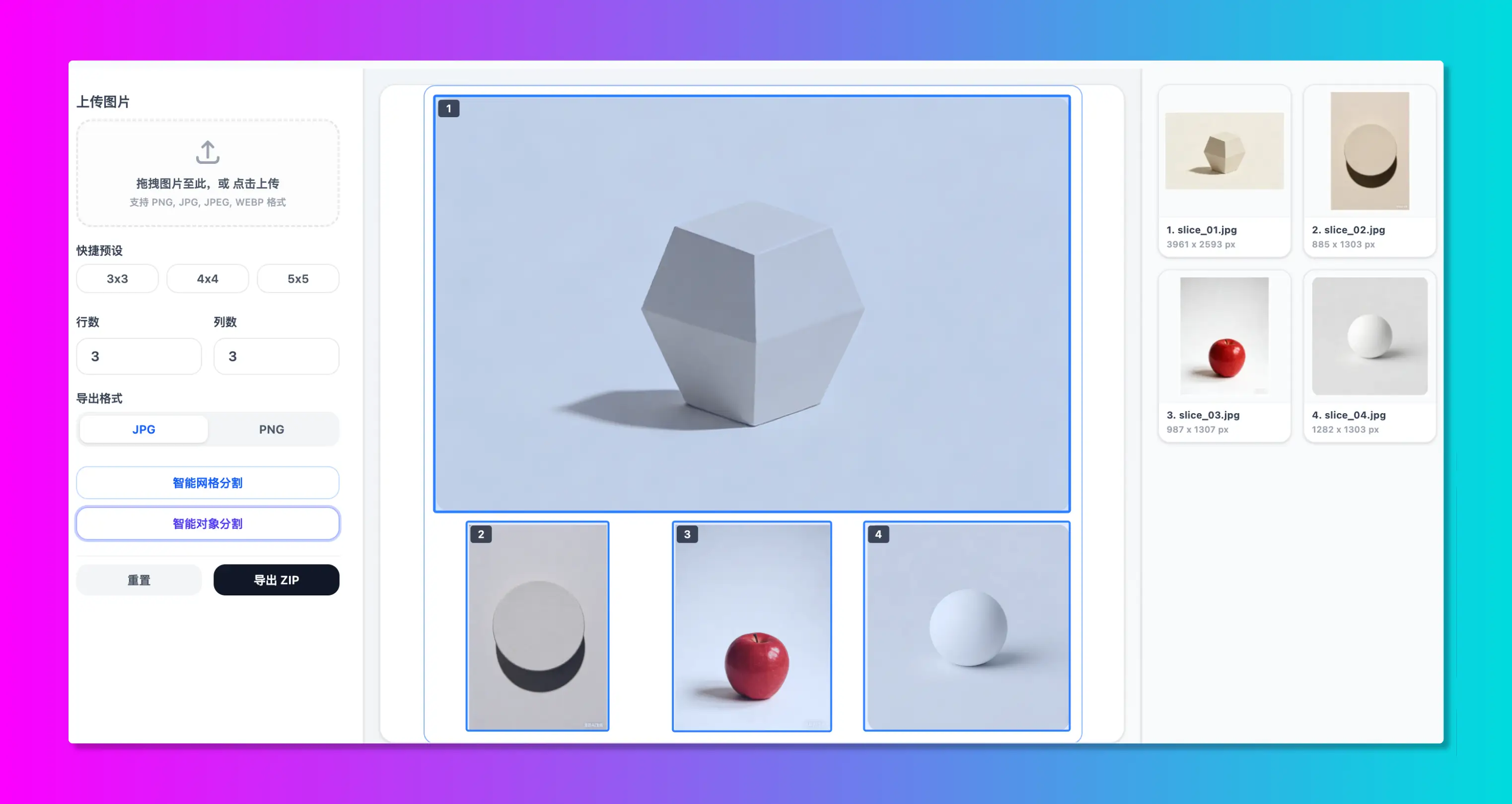
03 AI Smart Object Slicing
Powered by local OpenCV.js computer vision algorithms. Upload a layout sheet containing multiple stickers, items, or characters, click "Detect Objects", and the algorithm will auto - draw contour bounding boxes around each subject, cropping and extracting them in batch.
FAQ
Frequently asked questions about Smart Slice features and security
QAre my files uploaded to a remote server?
Yes, absolutely. All image cutting and OpenCV boundary detection run purely inside your web browser via local JavaScript.Your images never leave your local device, and you can even run this tool 100 % offline.
QWhy does object detection fail to respond?
Smart object detection relies on OpenCV.js WebAssembly modules. When clicked for the first time, your browser downloads the core library package.This requires a few seconds depending on your connection.Once cached, future uses are instant.
QHow do I open the exported ZIP file?
We package the crops in standard ZIP containers. If your smartphone file manager fails to extract it natively, download a free unzip app(e.g., iZip) from the app store, or use standard desktop tools like WinRAR or 7-Zip.
QWill sliced images lose resolution or quality?
No. You can set the export format to PNG for lossless crops, or tweak JPEG/WEBP compression values (default is 95 % high quality) to make sure every tile remains sharp.